| Color | Black |
|---|---|
| PID | 904930 |
| HD Type | 4K Ultra HD |
The YoloLiv YoloBox Ultra is a versatile and powerful portable streaming device that combines an encoder, switcher, monitor, and recorder into one unit. It is ideal for multi-camera productions and high-quality 4K broadcasts and is the perfect tool for content creators who publish videos on platforms such as Instagram, TikTok, YouTube, Facebook, or Twitch. The YoloBox Ultra combines features for both horizontal and vertical streaming, allowing you to broadcast directly to various platforms without additional equipment. Its intuitive touchscreen, extensive connectivity options, and smart automations make the YoloBox Ultra an excellent tool for demanding video production.
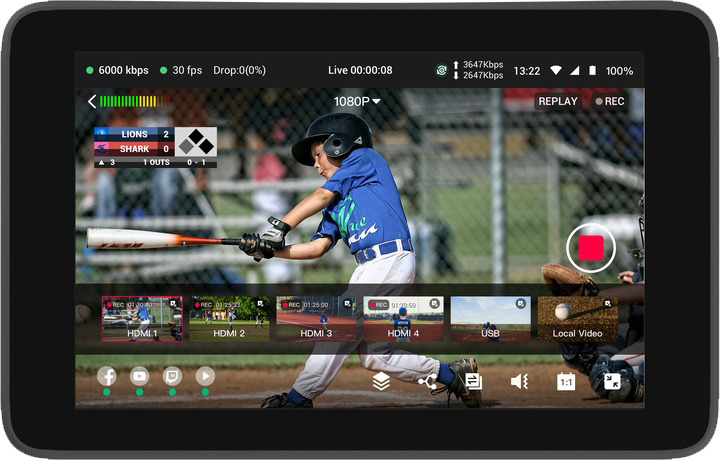
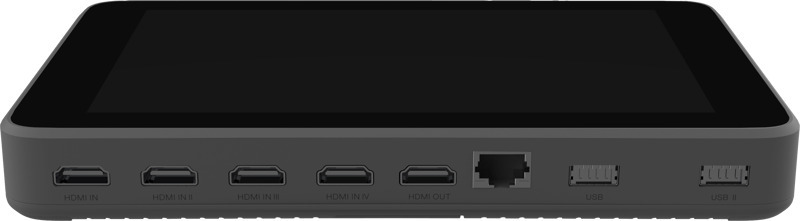
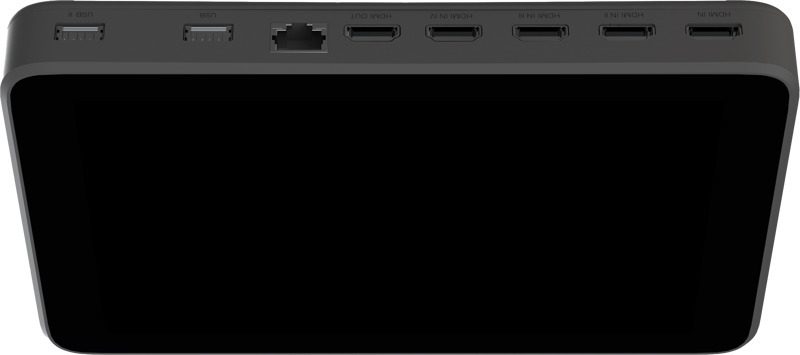
The YoloBox Ultra supports up to four HDMI inputs, two USB-A ports, and one USB-C port. Additionally, you can add three IP sources (NDI®, SRT, and RTMP), two local videos, one PDF file, and up to ten images. In total, the device supports up to 14 video sources.
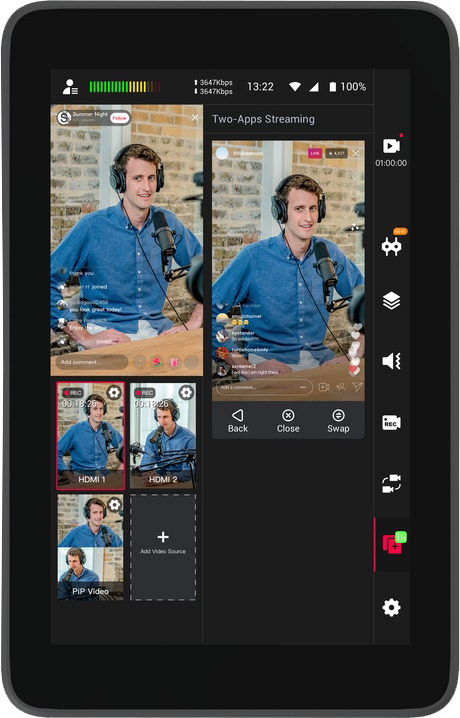
Streaming can be done simultaneously to up to six destinations via Wi-Fi, Ethernet, or 4G LTE connection. You can stream simultaneously to up to three horizontal platforms, such as YouTube, Facebook, and Twitch, as well as two vertical platforms, like Instagram and TikTok. Horizontal and vertical streaming is managed through the YoloLIV platform, which automatically routes the broadcast to selected platforms without the need for separate devices or software.
The device supports 4K streaming and recording, using the efficient H.265 codec (HEVC), which reduces bandwidth requirements by over 50% while maintaining high image quality. 4K resolution is four times higher than 1080p, offering a significant improvement in video clarity.
The YoloBox Ultra enables recording of all HDMI video inputs and program video as separate files. Recording settings can be finely adjusted according to resolution, frame rate, and bitrate. Recording is done to an SD card or USB flash drive, with capacities up to 1 TB.
The Video Follows Audio feature automatically switches the camera angle depending on who is speaking. This is especially useful for solo content creators, podcasts, and panel discussions. The automatic switching feature cycles through video sources automatically. The device can be controlled remotely via a web browser or app, including switching video sources, adjusting audio, and managing graphics.
The YoloBox Ultra offers a wide range of visual tools, such as graphic overlays, scoreboards, background music, multi-views (PIP, Split View, Side by Side, News Layout, Triple), video cropping, and transition effects. You can invite up to five guests to join the broadcast and use wireless phone cameras. The scoreboard timer supports intervals of up to 100 minutes.
With graphic overlays, you can brand your broadcast by adding logos, watermarks, and scrolling captions. Customizable PiP options, like interview mode, allow for a unique look and feel. Comment overlays enable real-time audience interaction visibility. Scoreboards are customizable, and you can input URLs from live graphics platforms such as singular.live or flexyscore.net for sports event score tracking. Lower third graphics are editable, and you can use ready-made templates or import your own.
The built-in audio mixer allows fine-tuning of each audio channel separately.
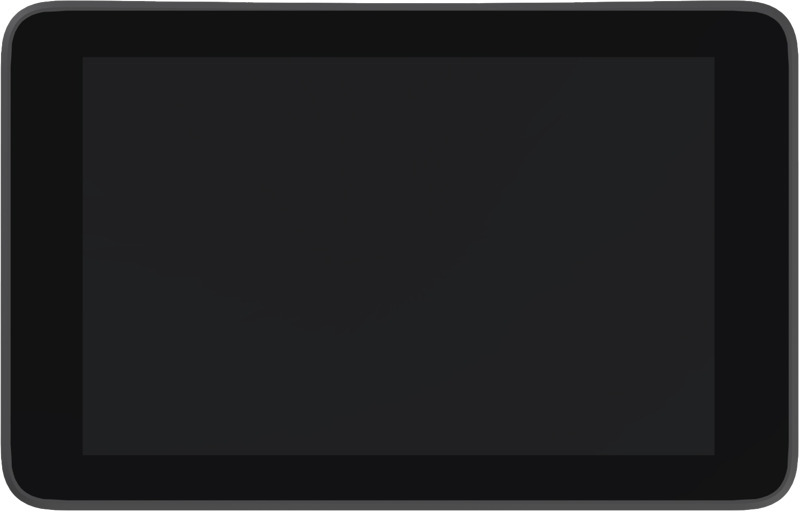
The device is equipped with a Qualcomm Snapdragon 865 processor, 8 GB of RAM, and 128 GB of storage. The 8-inch touchscreen, with a brightness of 650 cd/m², provides a clear and responsive interface. The internal 20,000 mAh battery supports up to 6 hours of usage. Charging is done via USB Type-C connection.
The YoloBox Ultra supports YoloCast event management, allowing you to prepare broadcasts in advance and start them with a single tap. The Instant Replay feature enables managing and saving replays in MP4 format. USB Webcam Out functionality allows sending video and audio to a computer for Zoom or Teams meetings, for example. Pre-recorded videos, PDF files, and images can be fed from the SD card. PDF files can be browsed manually, and up to 10 images can be loaded as video sources.

The YoloLiv YoloBox Ultra is a versatile and powerful portable streaming device that combines an encoder, switcher, monitor, and recorder into one unit. It is ideal for multi-camera productions and high-quality 4K broadcasts and is the perfect tool for content creators who publish videos on platforms such as Instagram, TikTok, YouTube, Facebook, or Twitch. The YoloBox Ultra combines features for both horizontal and vertical streaming, allowing you to broadcast directly to various platforms without additional equipment. Its intuitive touchscreen, extensive connectivity options, and smart automations make the YoloBox Ultra an excellent tool for demanding video production.
The YoloBox Ultra supports up to four HDMI inputs, two USB-A ports, and one USB-C port. Additionally, you can add three IP sources (NDI®, SRT, and RTMP), two local videos, one PDF file, and up to ten images. In total, the device supports up to 14 video sources.
Streaming can be done simultaneously to up to six destinations via Wi-Fi, Ethernet, or 4G LTE connection. You can stream simultaneously to up to three horizontal platforms, such as YouTube, Facebook, and Twitch, as well as two vertical platforms, like Instagram and TikTok. Horizontal and vertical streaming is managed through the YoloLIV platform, which automatically routes the broadcast to selected platforms without the need for separate devices or software.
The device supports 4K streaming and recording, using the efficient H.265 codec (HEVC), which reduces bandwidth requirements by over 50% while maintaining high image quality. 4K resolution is four times higher than 1080p, offering a significant improvement in video clarity.
The YoloBox Ultra enables recording of all HDMI video inputs and program video as separate files. Recording settings can be finely adjusted according to resolution, frame rate, and bitrate. Recording is done to an SD card or USB flash drive, with capacities up to 1 TB.
The Video Follows Audio feature automatically switches the camera angle depending on who is speaking. This is especially useful for solo content creators, podcasts, and panel discussions. The automatic switching feature cycles through video sources automatically. The device can be controlled remotely via a web browser or app, including switching video sources, adjusting audio, and managing graphics.
The YoloBox Ultra offers a wide range of visual tools, such as graphic overlays, scoreboards, background music, multi-views (PIP, Split View, Side by Side, News Layout, Triple), video cropping, and transition effects. You can invite up to five guests to join the broadcast and use wireless phone cameras. The scoreboard timer supports intervals of up to 100 minutes.
With graphic overlays, you can brand your broadcast by adding logos, watermarks, and scrolling captions. Customizable PiP options, like interview mode, allow for a unique look and feel. Comment overlays enable real-time audience interaction visibility. Scoreboards are customizable, and you can input URLs from live graphics platforms such as singular.live or flexyscore.net for sports event score tracking. Lower third graphics are editable, and you can use ready-made templates or import your own.
The built-in audio mixer allows fine-tuning of each audio channel separately.
The device is equipped with a Qualcomm Snapdragon 865 processor, 8 GB of RAM, and 128 GB of storage. The 8-inch touchscreen, with a brightness of 650 cd/m², provides a clear and responsive interface. The internal 20,000 mAh battery supports up to 6 hours of usage. Charging is done via USB Type-C connection.
The YoloBox Ultra supports YoloCast event management, allowing you to prepare broadcasts in advance and start them with a single tap. The Instant Replay feature enables managing and saving replays in MP4 format. USB Webcam Out functionality allows sending video and audio to a computer for Zoom or Teams meetings, for example. Pre-recorded videos, PDF files, and images can be fed from the SD card. PDF files can be browsed manually, and up to 10 images can be loaded as video sources.