| Country of Origin | China |
|---|---|
| PID | 1010450 |
| Number of Controllable Devices | 5 |
| Product Family | Advanced |
| Compatible battery amount | 4 |
| Battery type | AAA |
| Manufacturer address | Colosseum 2, 7521 PT, Enschede, The Netherlands |
| Manufacturer's email address | |
| Manufacturer name | Universal Electronics B.V. |
TV, set-top box, DVD/Blu-ray player, audio devices, and media player.
The One For All remote control can operate up to five audio and video devices via infrared. Setting up these devices is the first step. The app helps you easily configure the remote to control your devices. You only need the brand of the device.
With Activity functions, you can create any combination of your set devices and assign which button controls each device in activity mode, such as watching TV, watching a movie, or listening to music.
If you use a combination of TV, set-top box, and soundbar for live TV viewing, you can link these to the TV watching activity, and the remote will control the correct devices when buttons are pressed.
A macro is a series of commands sent with a single button press. For example, you can turn on the TV, soundbar, and set-top box and select the correct HDMI input on the TV with one button press. You can even assign a macro to a function, so your devices are all set correctly for controlling that function.
The Button Mover feature allows you to change the function of one or more remote buttons, change their location, or even copy them to another device.
Do you use only one device to control the volume of your devices? For example, you may want to always control the soundbar’s volume, even when controlling another device like the TV or Blu-ray player. The Volume Lock function lets you lock the volume up, down, and mute buttons so they always control the same device.
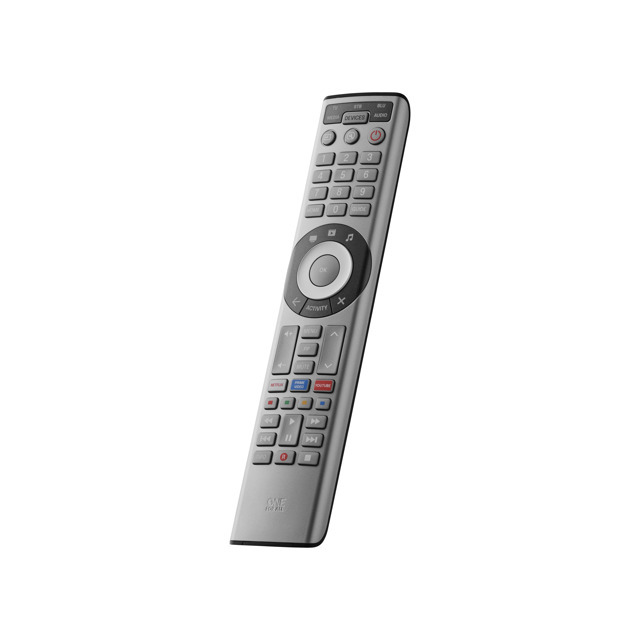
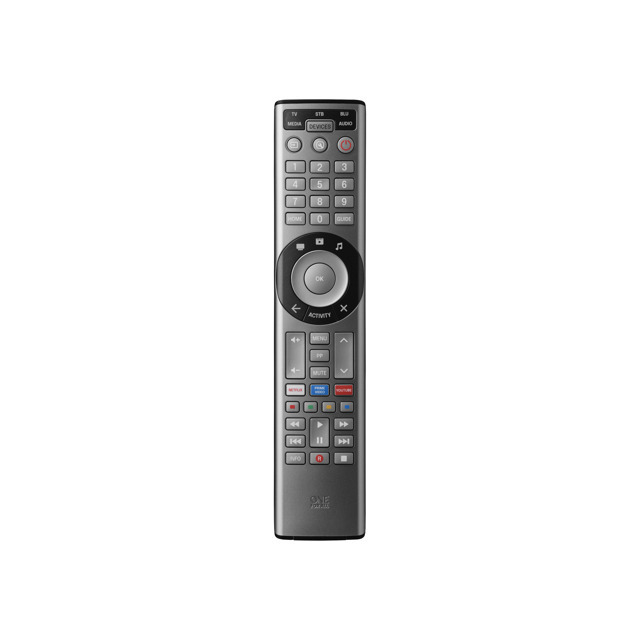
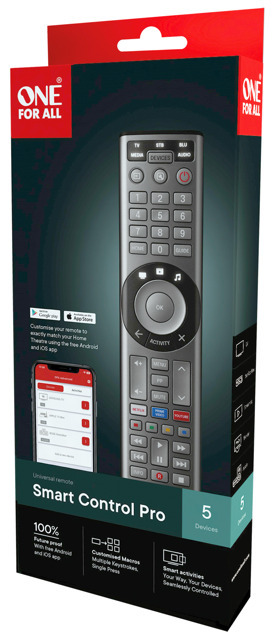
The One For All Smart Control Pro 5 remote is ideal for controlling up to 5 devices: TV, set-top box, DVD/Blu-ray player, soundbar, audio devices, and media players (such as Apple TV and others). The free OFA Advanced app makes remote setup quick and easy.
The Smart Control has 3 convenient shortcut buttons for your favorite streaming services, so Amazon Prime, YouTube, Netflix, or any other streaming service is just one press away.
Three smart functions – watching TV, watching movies, and listening to music – enable seamless control of devices without switching device modes. For example, channel buttons control the set-top box, while volume buttons control the audio receiver.
The learning function allows you to easily customize the remote to your needs so you don’t lose any buttons!
3 in stock

TV, set-top box, DVD/Blu-ray player, audio devices, and media player.
The One For All remote control can operate up to five audio and video devices via infrared. Setting up these devices is the first step. The app helps you easily configure the remote to control your devices. You only need the brand of the device.
With Activity functions, you can create any combination of your set devices and assign which button controls each device in activity mode, such as watching TV, watching a movie, or listening to music.
If you use a combination of TV, set-top box, and soundbar for live TV viewing, you can link these to the TV watching activity, and the remote will control the correct devices when buttons are pressed.
A macro is a series of commands sent with a single button press. For example, you can turn on the TV, soundbar, and set-top box and select the correct HDMI input on the TV with one button press. You can even assign a macro to a function, so your devices are all set correctly for controlling that function.
The Button Mover feature allows you to change the function of one or more remote buttons, change their location, or even copy them to another device.
Do you use only one device to control the volume of your devices? For example, you may want to always control the soundbar’s volume, even when controlling another device like the TV or Blu-ray player. The Volume Lock function lets you lock the volume up, down, and mute buttons so they always control the same device.
The One For All Smart Control Pro 5 remote is ideal for controlling up to 5 devices: TV, set-top box, DVD/Blu-ray player, soundbar, audio devices, and media players (such as Apple TV and others). The free OFA Advanced app makes remote setup quick and easy.
The Smart Control has 3 convenient shortcut buttons for your favorite streaming services, so Amazon Prime, YouTube, Netflix, or any other streaming service is just one press away.
Three smart functions – watching TV, watching movies, and listening to music – enable seamless control of devices without switching device modes. For example, channel buttons control the set-top box, while volume buttons control the audio receiver.
The learning function allows you to easily customize the remote to your needs so you don’t lose any buttons!