

| Color | Black |
|---|---|
| PID | 873475 |
| Wireless | No |
| Electronic address of single contact point | |
| Manufacturer address | Floor 1, Building 1, Huion Science and Techonolgy Park, Keji 1st Road, Tangtou Community, Shiyan Street, Bao'an District, Shenzhen, China |
| Manufacturer's email address | |
| Manufacturer name | Shenzhen Huion Trend Technology Co., Ltd. |
| EU Responsible Person | Dilectro Spolka z Ograniczona Odpowiedzialnoscia |
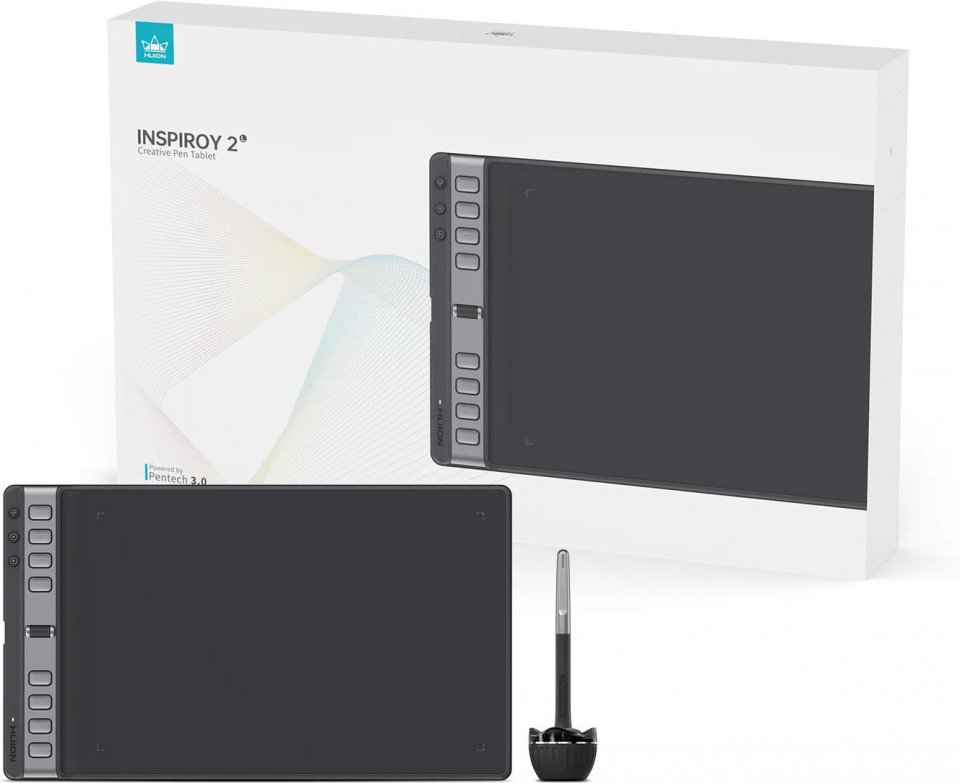
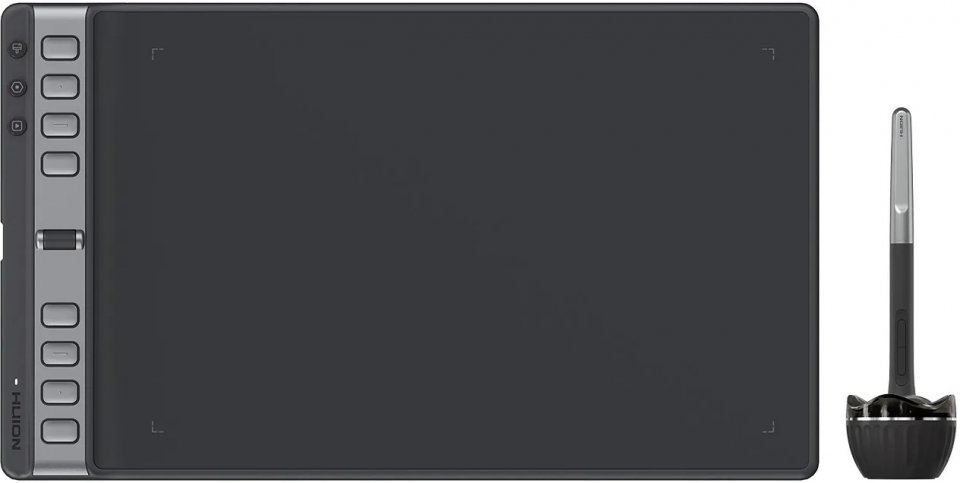
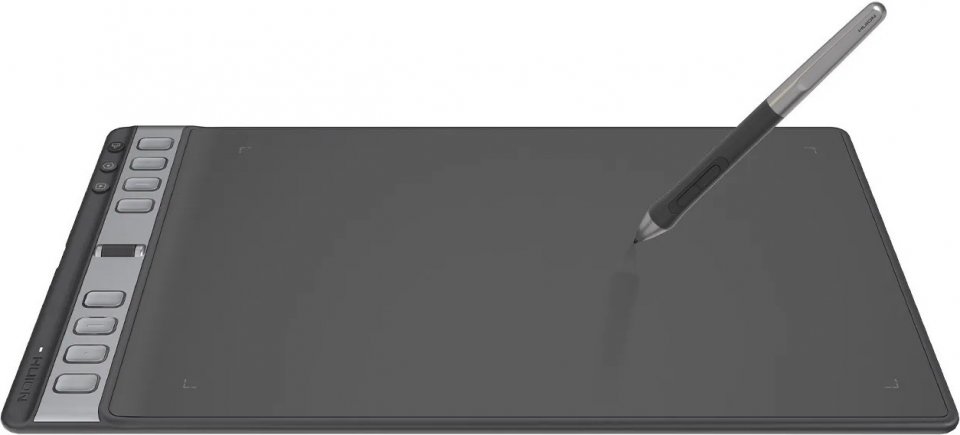
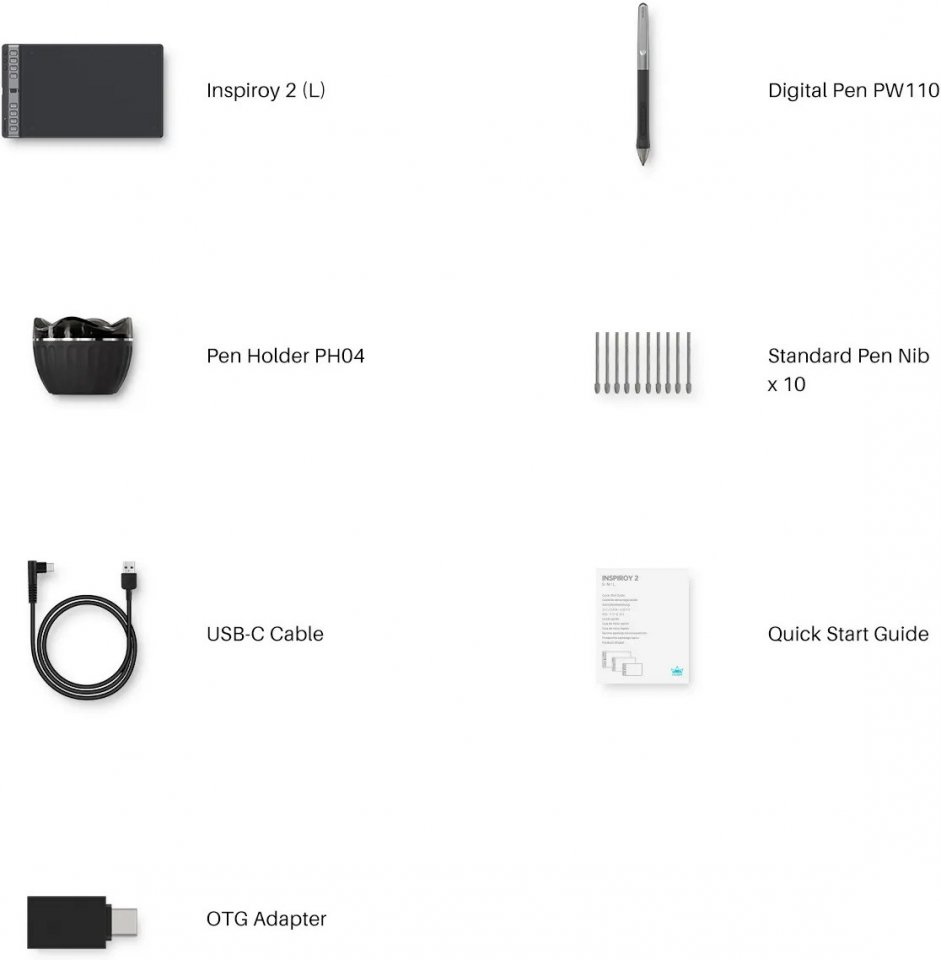
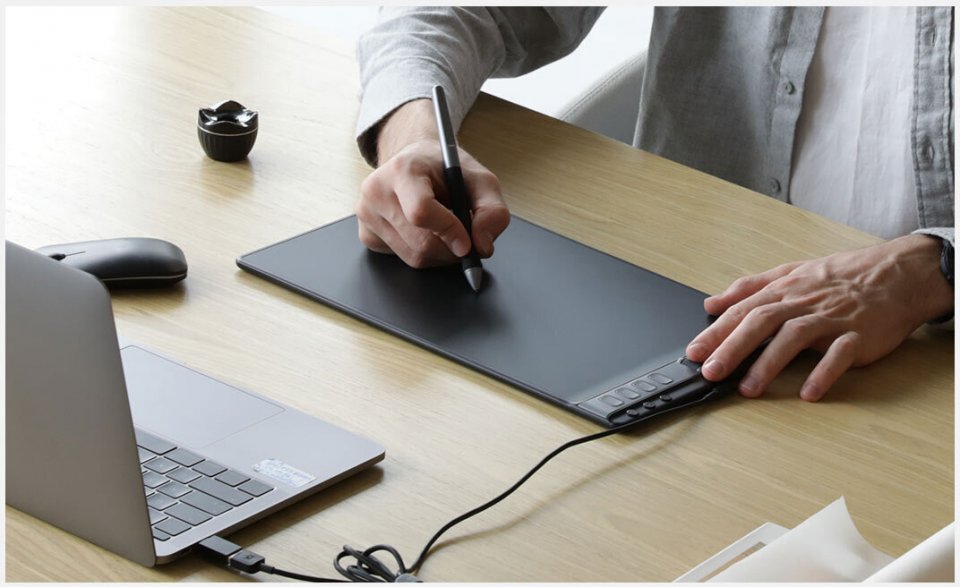
Huion Inspiroy 2 L drawing tablet features a slim and symmetrical design, shortcut keys, a scroll wheel, a paper-like panel, and broad operating system compatibility. It also includes a digital, battery-free PenTech 3.0 pen and a stand.
Shortcut Keys – simpler navigation, easier use
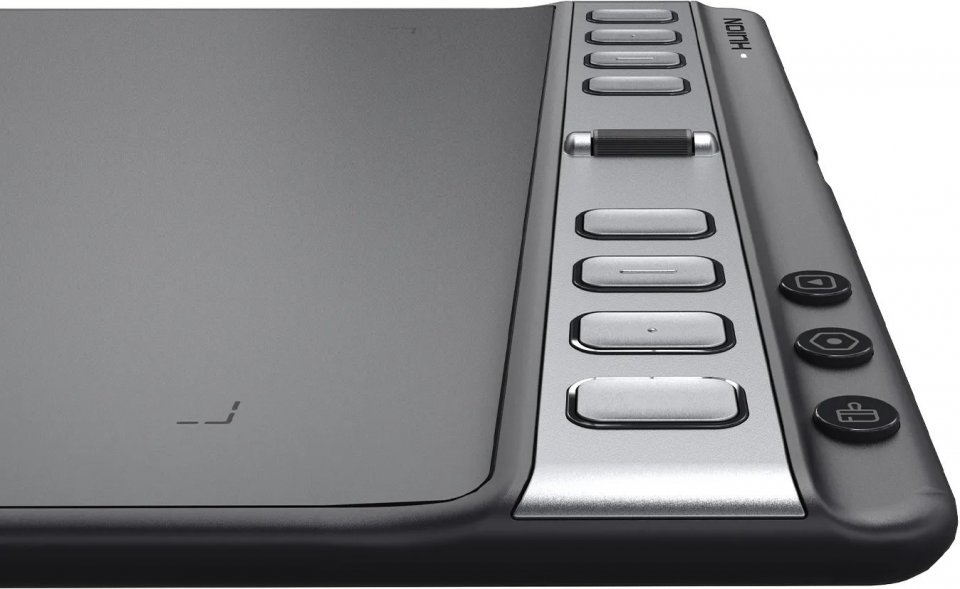
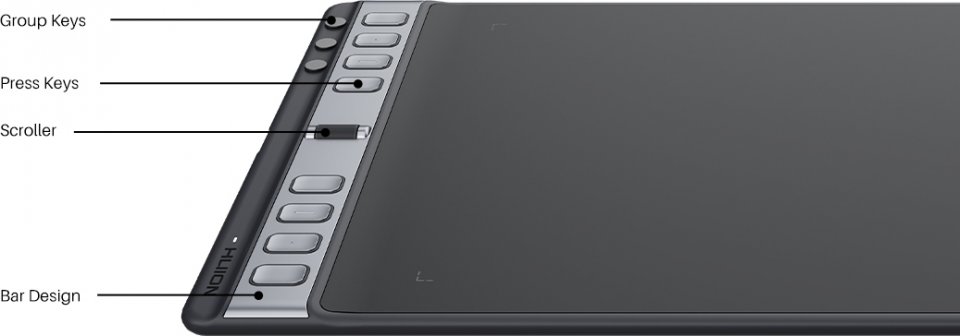
The buttons make navigation much easier due to the height of the bar (2 mm higher than the drawing surface), the color difference between the buttons and the bar, and the design of the buttons. Additionally, the Inspiroy 2 includes a very convenient scroll wheel whose sensitivity can be adjusted in the controller, similar to a mouse wheel.
Group Keys – one button, three functions
For the first time, Huion has added three Group Keys buttons to the Inspiroy 2. Because of this, the number of buttons can be expanded from 8 to 24, which increases application functions and significantly simplifies workflow. Moreover, you can customize the buttons through the controller. You can see each button’s function in the Press Keys View interface without memorizing them externally.
Digital, battery-free PenTech 3.0 pen
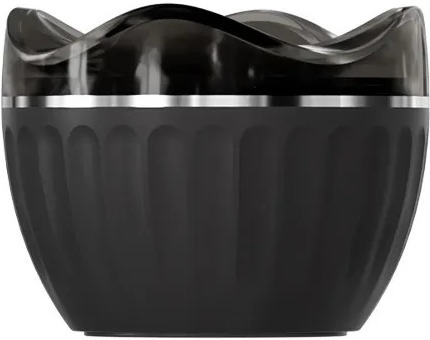
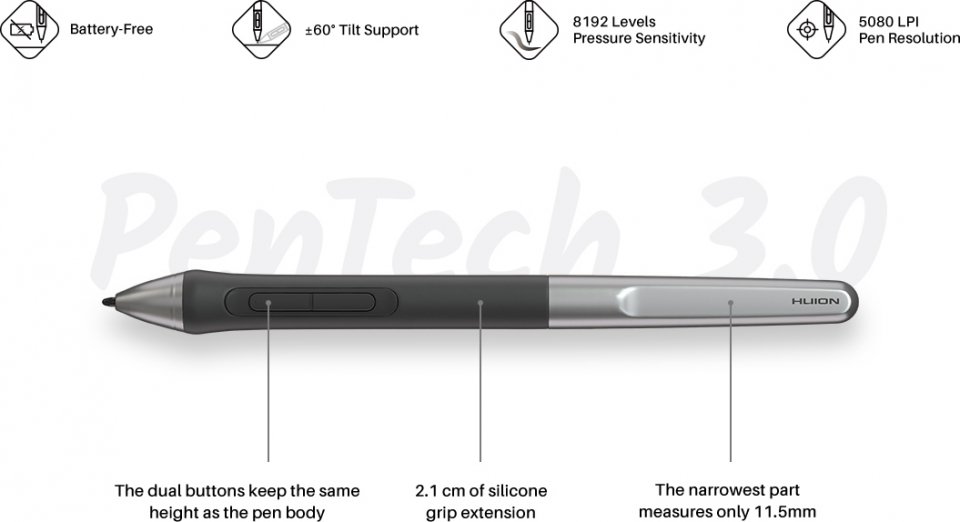
The Inspiroy 2 comes with the battery-free PW110 pen, which is slimmer than the PW517. The pen also features an extended silicone grip length and two recessed programmable buttons that prevent accidental presses. All these improvements increase comfort of use. You can still enjoy tilt support, drawing stability with a shorter retraction distance, and 8192 levels of pressure sensitivity. An ergonomic pen stand is also included.
Panel – just like real paper
The Inspiroy 2 model has 20% more friction on the panel compared to its predecessor. You can easily focus on drawing thanks to the matte surface and color saturation coordination.
Mobile device connectivity – compatible with phones and tablets
Besides PC, the Inspiroy 2 is also compatible with Android and HarmonyOS phones and tablets, greatly expanding compatibility and allowing easy connection to your device whether you are a beginner or a professional artist.
Portable – pack it in your backpack
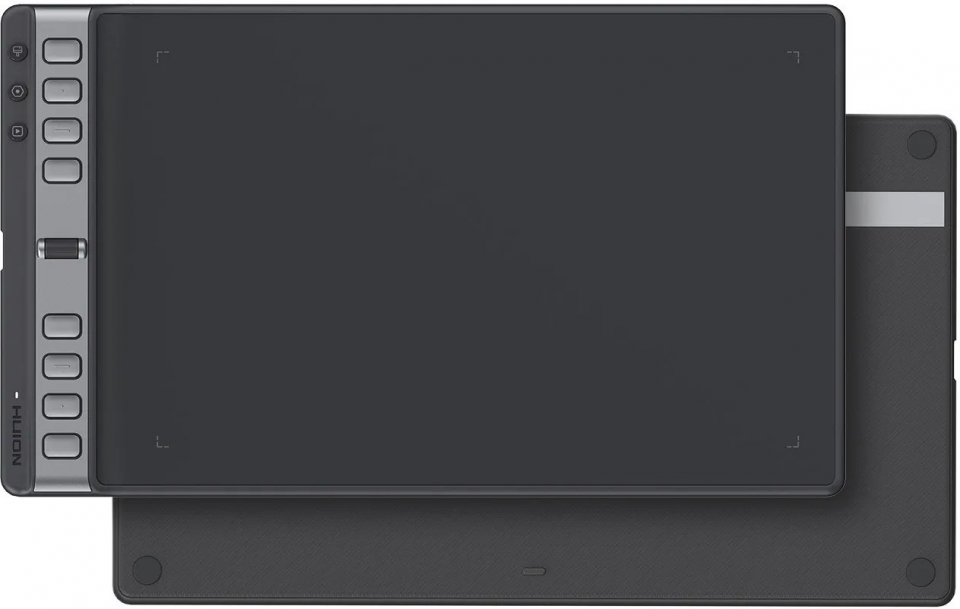
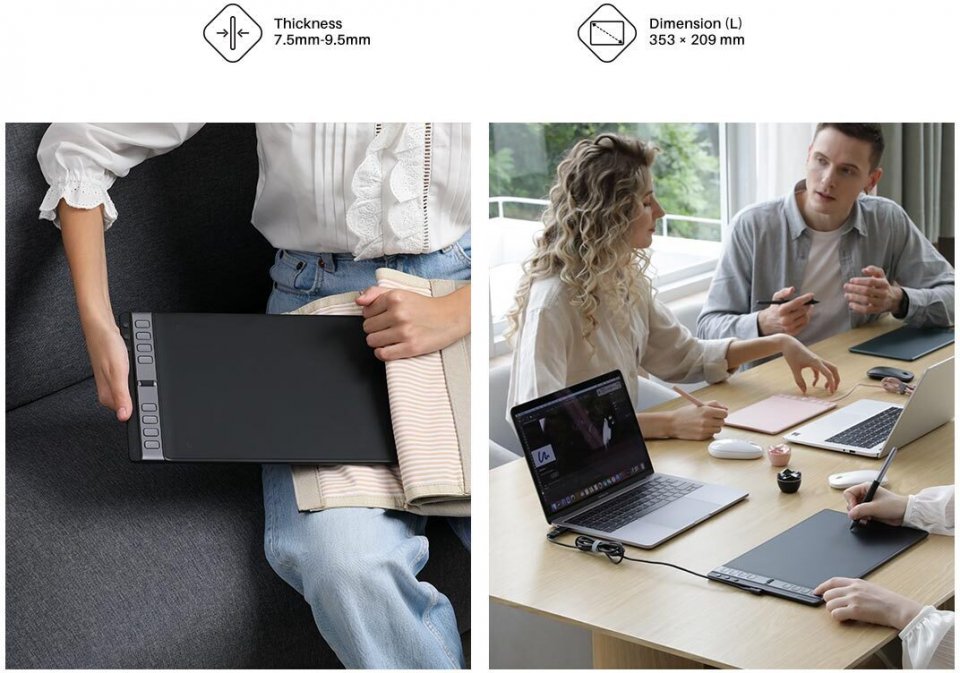
The Inspiroy 2 model has a reduced width and an overall thickness under 1 cm, so you can easily pack the tablet in your backpack for drawing on the go. Even more importantly, the slimmer body reduces wrist discomfort during creation.
Symmetrical design – also available for left-handed artists
The Type-C port is located on the left side of the drawing tablet in the middle. Regarding general design, the buttons and scroll wheel are placed symmetrically. If you are left-handed, you can set the tablet to a 180° position in the software. If you often use a vertical display for your work, you can rotate the tablet directly to a 90° position.
Wide operating system compatibility
The Inspiroy 2 works with Windows, macOS, Linux, ChromeOS, Android, and HarmonyOS, allowing you to freely switch between computer, Android phone, and tablet.
Features:
37 in stock

Huion Inspiroy 2 L drawing tablet features a slim and symmetrical design, shortcut keys, a scroll wheel, a paper-like panel, and broad operating system compatibility. It also includes a digital, battery-free PenTech 3.0 pen and a stand.
Shortcut Keys – simpler navigation, easier use
The buttons make navigation much easier due to the height of the bar (2 mm higher than the drawing surface), the color difference between the buttons and the bar, and the design of the buttons. Additionally, the Inspiroy 2 includes a very convenient scroll wheel whose sensitivity can be adjusted in the controller, similar to a mouse wheel.
Group Keys – one button, three functions
For the first time, Huion has added three Group Keys buttons to the Inspiroy 2. Because of this, the number of buttons can be expanded from 8 to 24, which increases application functions and significantly simplifies workflow. Moreover, you can customize the buttons through the controller. You can see each button’s function in the Press Keys View interface without memorizing them externally.
Digital, battery-free PenTech 3.0 pen
The Inspiroy 2 comes with the battery-free PW110 pen, which is slimmer than the PW517. The pen also features an extended silicone grip length and two recessed programmable buttons that prevent accidental presses. All these improvements increase comfort of use. You can still enjoy tilt support, drawing stability with a shorter retraction distance, and 8192 levels of pressure sensitivity. An ergonomic pen stand is also included.
Panel – just like real paper
The Inspiroy 2 model has 20% more friction on the panel compared to its predecessor. You can easily focus on drawing thanks to the matte surface and color saturation coordination.
Mobile device connectivity – compatible with phones and tablets
Besides PC, the Inspiroy 2 is also compatible with Android and HarmonyOS phones and tablets, greatly expanding compatibility and allowing easy connection to your device whether you are a beginner or a professional artist.
Portable – pack it in your backpack
The Inspiroy 2 model has a reduced width and an overall thickness under 1 cm, so you can easily pack the tablet in your backpack for drawing on the go. Even more importantly, the slimmer body reduces wrist discomfort during creation.
Symmetrical design – also available for left-handed artists
The Type-C port is located on the left side of the drawing tablet in the middle. Regarding general design, the buttons and scroll wheel are placed symmetrically. If you are left-handed, you can set the tablet to a 180° position in the software. If you often use a vertical display for your work, you can rotate the tablet directly to a 90° position.
Wide operating system compatibility
The Inspiroy 2 works with Windows, macOS, Linux, ChromeOS, Android, and HarmonyOS, allowing you to freely switch between computer, Android phone, and tablet.
Features: