| Country of Origin | China |
|---|---|
| PID | 373337 |
| Product depth (mm) | 100 |
| Product height (mm) | 57 |
| Product weight (g) | 465 |
| Product width (mm) | 122 |
| WiFi | No |
| Colour Printing | No |
| Duplex Printing | No |
| Duplex Scanning | No |
| Multifunction Printer | No |
| Printer type | Direct thermal |
| Batteries included | Yes |
| Manufacturer address | Äyritie 12 B, 01510 Vantaa, Finland |
| Manufacturer's email address | |
| Manufacturer name | Brother Nordic A/S, Suomen sivuliike |
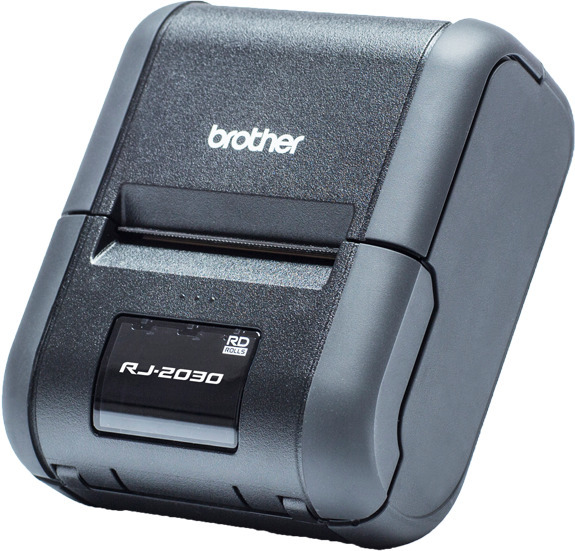
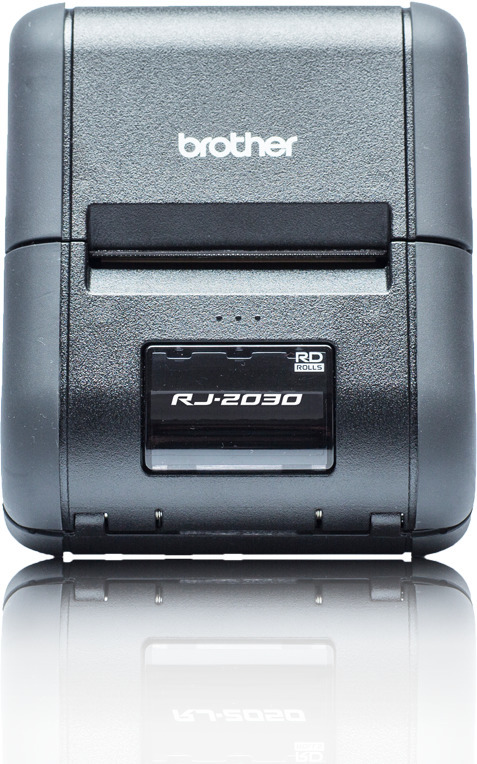
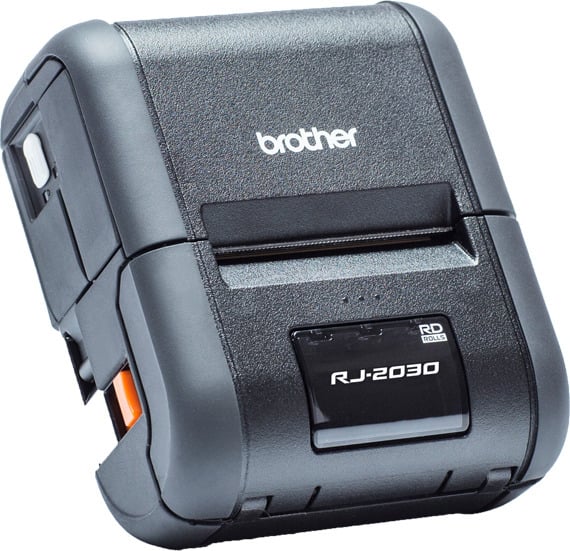
A compact and durable printer using thermal printing technology offers the fastest printing in its class. The integrated LCD display and easily replaceable roll labels make the RJ-2030 mobile printer ideal for your business.
The IP54-rated printer withstands drops from 8.2 feet and is designed to endure various working environments. The integrated Bluetooth connection enables seamless connectivity. Supports SPP, OPP, BIP, and HRCP profiles. Alternatively, you can connect the device to your Windows computer via USB. The RJ-2030 supports ZPL II and CPCL emulations, providing the best possible compatibility with older operating systems.
You can also create receipt templates on a PC and upload them to the printer’s memory for easy use, editing, and printing using Brother ESC/P printer language. You can easily add printing functionality to your existing app and software using Brother’s software development kit (SDK). Use Brother B-PAC SDK for Windows-based programs or Brother Print SDK for Android devices.
Features

A compact and durable printer using thermal printing technology offers the fastest printing in its class. The integrated LCD display and easily replaceable roll labels make the RJ-2030 mobile printer ideal for your business.
The IP54-rated printer withstands drops from 8.2 feet and is designed to endure various working environments. The integrated Bluetooth connection enables seamless connectivity. Supports SPP, OPP, BIP, and HRCP profiles. Alternatively, you can connect the device to your Windows computer via USB. The RJ-2030 supports ZPL II and CPCL emulations, providing the best possible compatibility with older operating systems.
You can also create receipt templates on a PC and upload them to the printer’s memory for easy use, editing, and printing using Brother ESC/P printer language. You can easily add printing functionality to your existing app and software using Brother’s software development kit (SDK). Use Brother B-PAC SDK for Windows-based programs or Brother Print SDK for Android devices.
Features