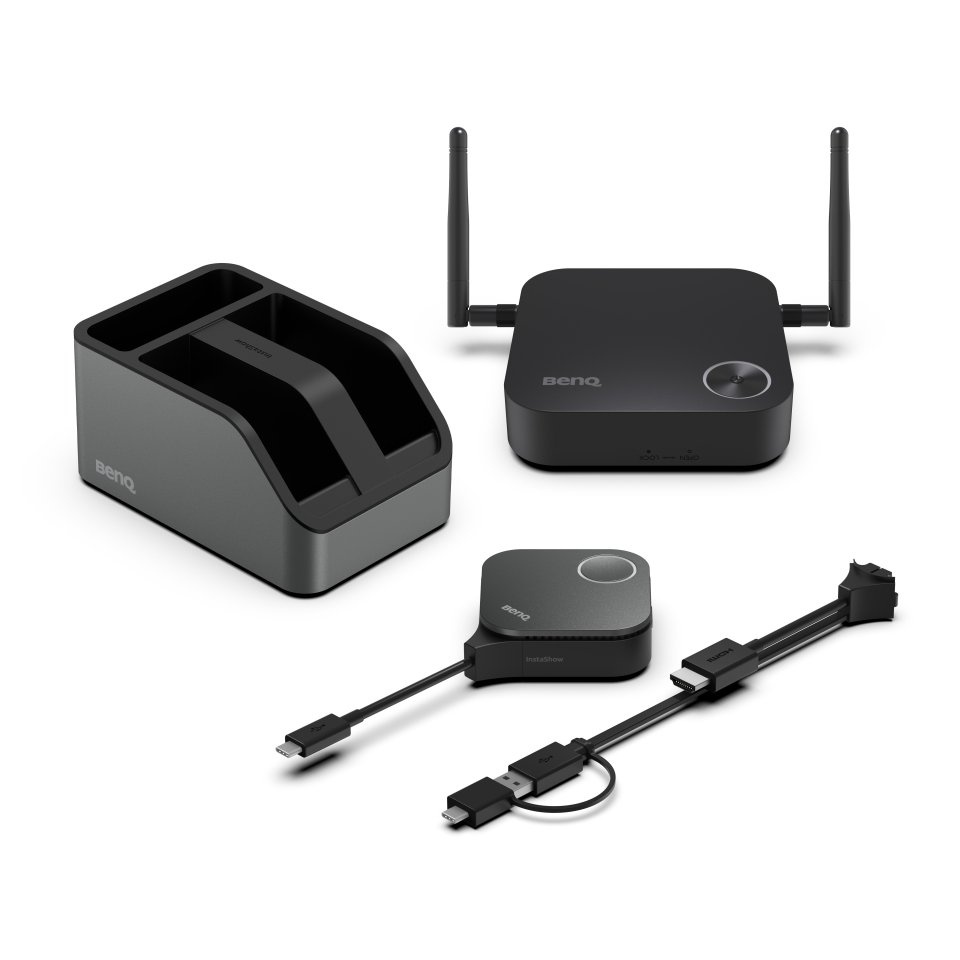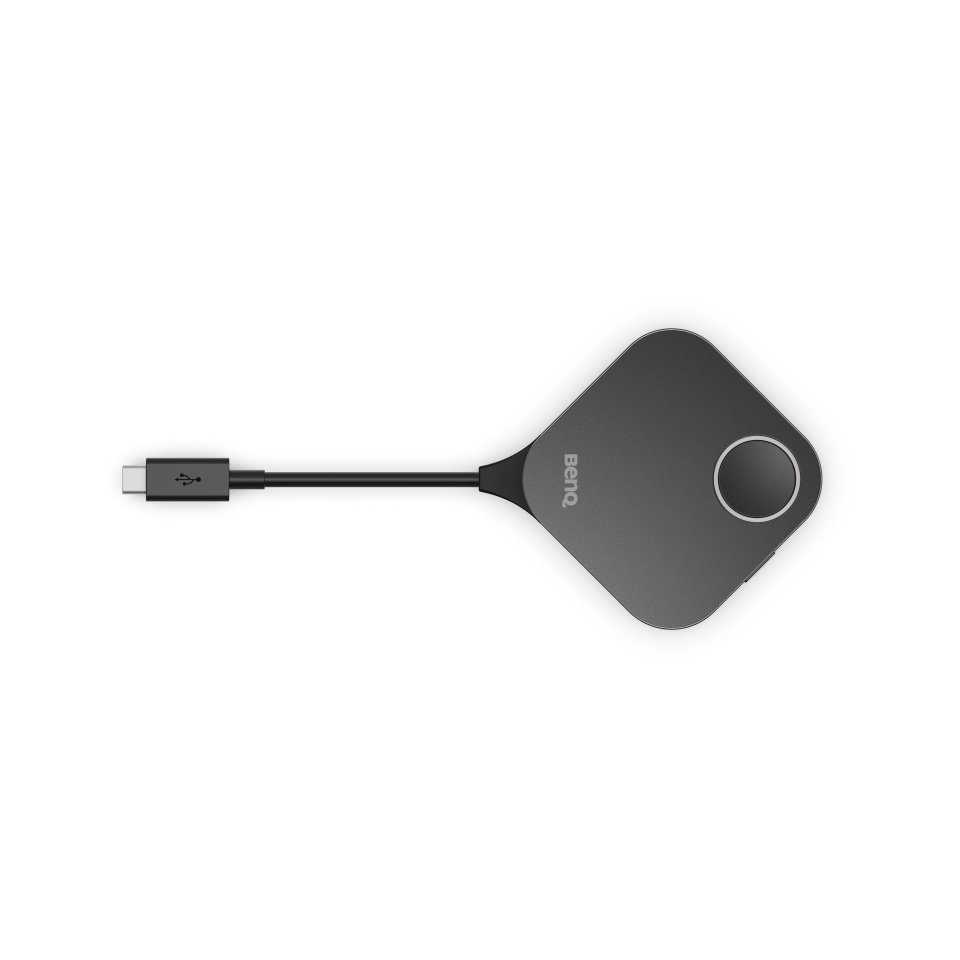
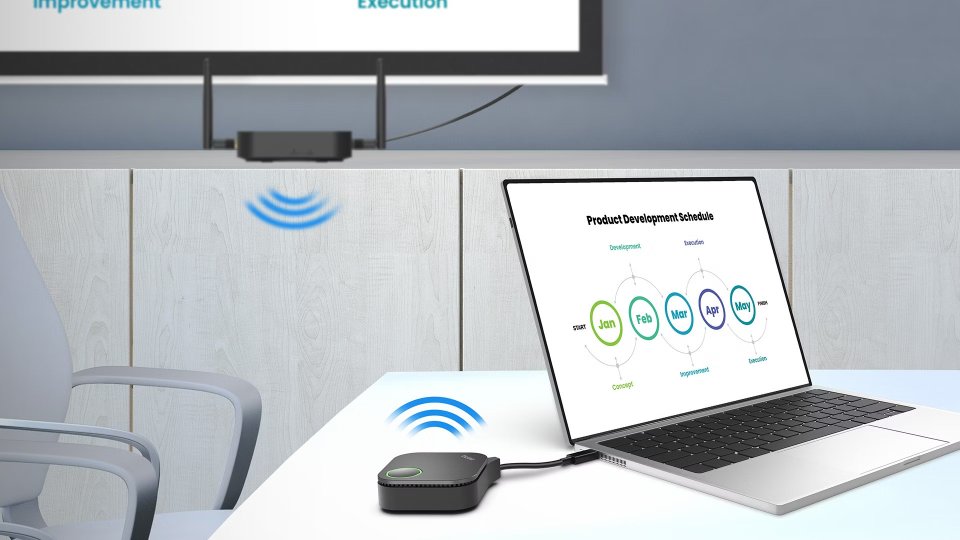
The BenQ Instashow additional transmitter for the WDC15 model is a wireless extender that simplifies presentation management. It works directly with the BenQ InstaShow WDC15 receiver without the need for software, drivers, or network connection. The additional transmitter supports 4K resolution at 30 fps, and its connections are interchangeable between USB-C and HDMI.
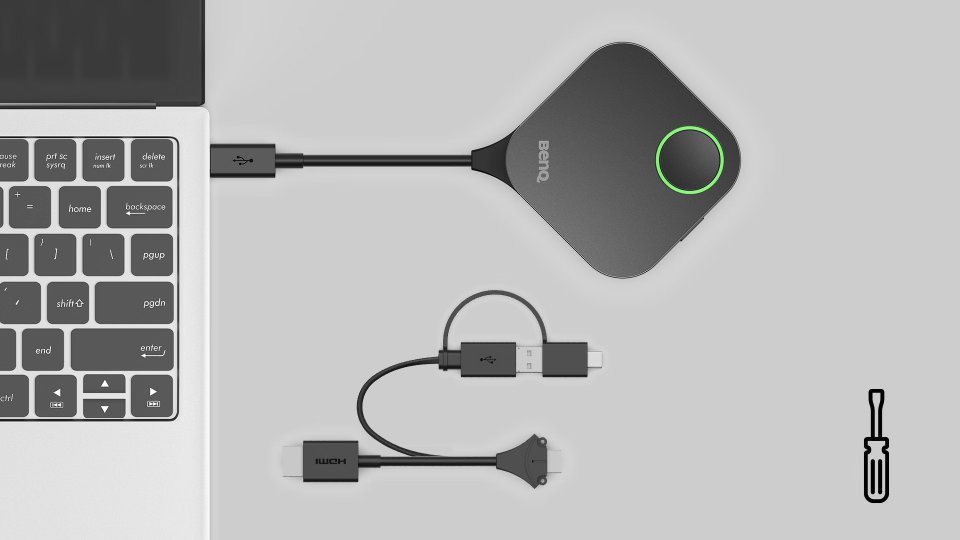
The additional transmitter comes standard with a USB-C connection, and includes a replaceable HDMI adapter that can be installed by loosening the screw on the bottom of the button. This allows switching connections according to the situation without separate tools.
The side button on the transmitter allows easy switching from presentation mode to video mode. This makes managing presentations flexible and smooth without interruptions.
The device works with multiple operating systems, such as Windows, macOS, ChromeOS, and Linux. This enables presentations from guests without software installations, making it a versatile tool for various environments.
Plug and play functionality ensures effortless setup. The additional transmitter is designed to be user-friendly, so managing presentations is easy and efficient.
| Country of Origin | Taiwan |
|---|---|
| PID | 1030739 |
| Product depth (mm) | 67 |
| Product height (mm) | 23 |
| Product weight (g) | 155 |
| Product width (mm) | 67 |
| Manufacturer address | Meerenakkerweg 1-17, 5652 AR, Eindhoven, the Netherlands |
| Manufacturer's email address | Support.BenQ.com |
| Manufacturer name | BenQ Europe B.V. |

The BenQ Instashow additional transmitter for the WDC15 model is a wireless extender that simplifies presentation management. It works directly with the BenQ InstaShow WDC15 receiver without the need for software, drivers, or network connection. The additional transmitter supports 4K resolution at 30 fps, and its connections are interchangeable between USB-C and HDMI.
The additional transmitter comes standard with a USB-C connection, and includes a replaceable HDMI adapter that can be installed by loosening the screw on the bottom of the button. This allows switching connections according to the situation without separate tools.
The side button on the transmitter allows easy switching from presentation mode to video mode. This makes managing presentations flexible and smooth without interruptions.
The device works with multiple operating systems, such as Windows, macOS, ChromeOS, and Linux. This enables presentations from guests without software installations, making it a versatile tool for various environments.
Plug and play functionality ensures effortless setup. The additional transmitter is designed to be user-friendly, so managing presentations is easy and efficient.